FTJ Media is excited to announce that we now have a second live stream server online and available for creators to start testing. This new server is part of our ongoing work to keep FTJ fast, resilient, and ready for bigger audiences.
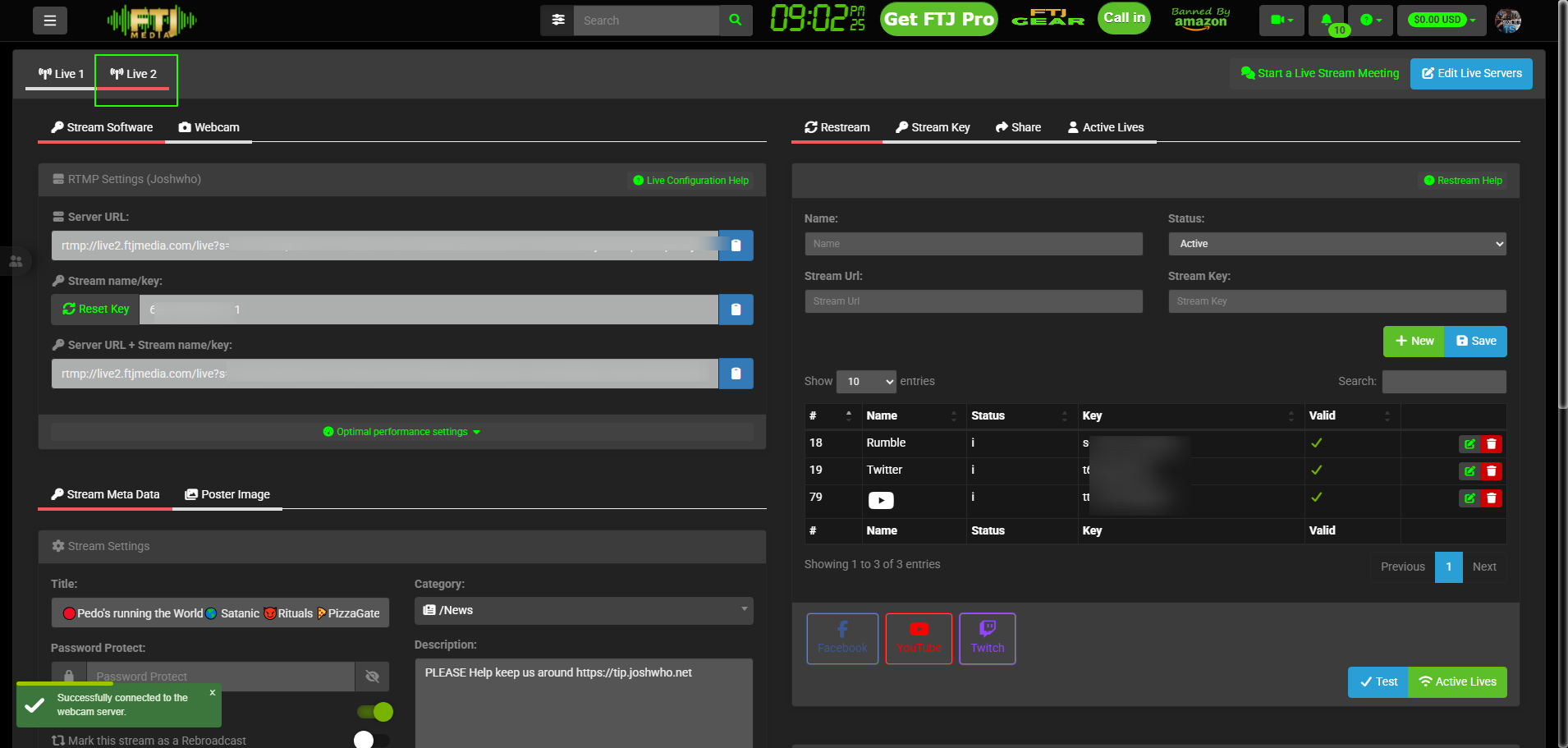
What’s New
Our second live stream server is currently in an experimental phase. That means it is live and usable, but we cannot yet guarantee 100% reliable recording of your shows until more real‑world tests are completed.
How To Test It
You can start using the new server right now:
-
Log in to your FTJ Media live dashboard.
-
Create or edit a live event as you normally would.
-
In the server selection area, choose the new Live 2 server that now appears as an option.
Once selected, copy your new live server url and stream key
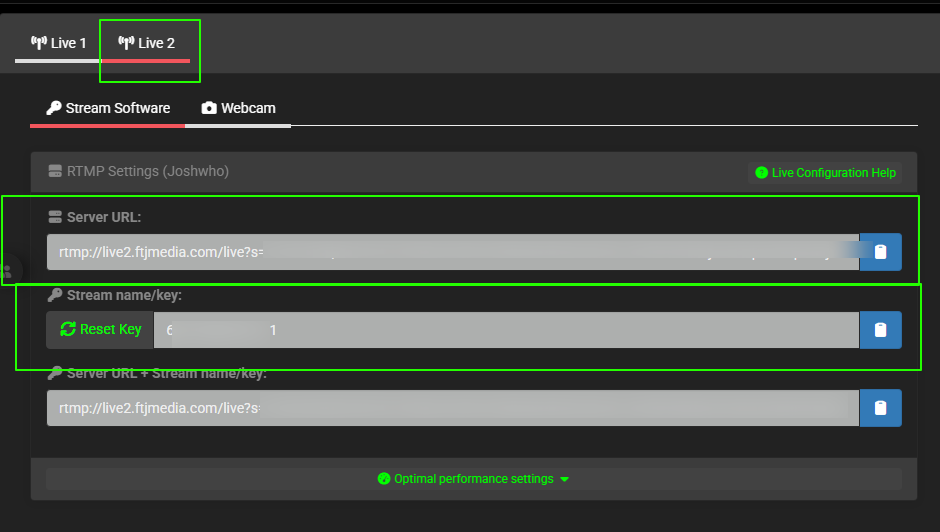
and copy to your broadcaster software and stream to it as you would your primary server and complete a full test broadcast.
Important Caution
Because this server is still experimental, we strongly recommend:
-
Do not use it as your only destination for critical or one‑time shows.
-
If the content is important, consider simulcasting to your primary server or another backup where possible.
-
Treat any recording from this test server as “best effort” until we verify long‑term stability.
We Need Your Feedback
Your feedback is what will move this server from experimental to production‑ready.
After you run a test stream on the new server, please let us know:
-
Did your stream start and stay stable?
-
Did the recording complete successfully and archive correctly?
-
Any issues with latency, quality, or viewer playback?
You can report your results through our contact page or support channels listed on FTJ Media. Your real‑world tests help us scale FTJ Media for more shows, more viewers, and more free speech streaming.